Quick overview
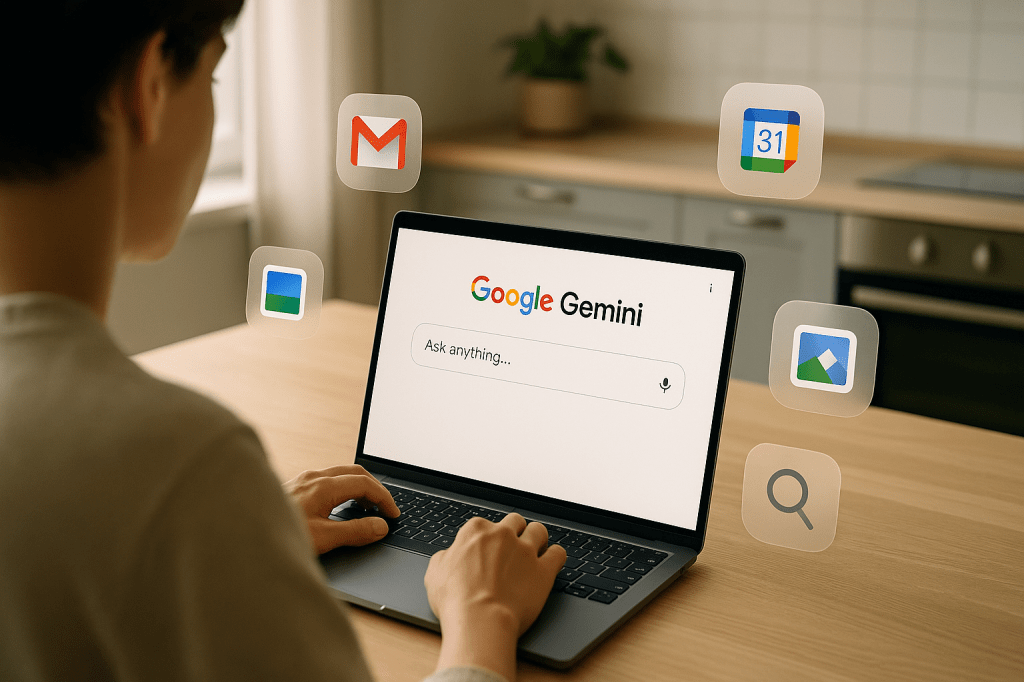
Google has begun rolling out a beta feature for its Gemini AI called Personal Intelligence. The feature lets Gemini reference past conversations and access data from Gmail, Calendar, Photos, and search history to produce personalized responses. Personal Intelligence is opt in, controlled by users, and currently available to AI Pro and Ultra subscribers.
This article explains what Personal Intelligence does, where Gemini gets its data, the privacy and accuracy questions it raises, and practical guidance for ordinary users. It also compares Google s approach with other AI services and lists steps to take if you try the beta.
What Personal Intelligence is, in plain language
Personal Intelligence is a capability inside Google s Gemini model that can consult your own Google data when answering questions. That includes past chats with Gemini, your Gmail messages, entries on your Google Calendar, photos stored in Google Photos, and items from your Google Search history. The idea is to give responses that are tailored to you, for example a suggested email draft based on prior messages, a summary of recent conversations, or reminders that match your calendar events.
How Personal Intelligence works and where data comes from
The feature connects Gemini to several Google services. Here is what that connection looks like in practice.
Primary data sources
- Gmail, for email content and context.
- Google Calendar, for events, times, and RSVPs.
- Google Photos, for images and any text recognized in photos.
- Google Search history, for signals about interests and recent lookups.
- Past Gemini conversations, for continuity and personal preferences recorded earlier.
Real-time versus cached access
Google has not said that all data is pulled live each time you ask something. Some data may be accessed in real time, while other parts could be cached or indexed to make responses faster. The beta design suggests Gemini will consult a mix of directly fetched items and preprocessed signals when generating personalized replies.
Availability and opt in controls
Personal Intelligence is currently in beta and limited to paying subscribers on Google s AI Pro and Ultra plans. Users must opt in to enable cross-service access. That means you will explicitly grant Gemini permission to consult specific apps and data types. The goal is to give users control over which parts of their Google account Gemini can use.
Permission choices
- Users can enable or disable each connected app, such as Gmail and Photos.
- Access is revocable at any time from account settings.
- Google plans to show users what data types were consulted for a response, though the exact form of that transparency is part of the beta feedback process.
What users should expect from transparency and controls
Practical controls and visibility are essential for this kind of feature. Reasonable expectations include the following items.
- Clear permission dialogs that list specific data types before you opt in.
- An audit log or activity history that shows which documents, emails, or photos were read to produce an answer.
- Easy ways to revoke access and to delete any cached or processed personal data used by the model.
- Explanations when Gemini uses private material to create a response, so you can verify the basis for suggestions.
Privacy and security concerns
Giving an AI access to broad personal data raises obvious risks. The main concerns are about exposure, misuse, and retention of sensitive information.
Key privacy risks
- Accidental disclosure of sensitive content when summarizing or extracting text from emails or photos.
- Potential leakage if AI outputs include details from private messages or images in ways the user did not intend.
- Retention questions, such as how long Google keeps material that was consulted or features derived from it.
- Third party access or legal requests for data that includes AI logs and prompts.
Accuracy and hallucination risks
Adding personal context can improve relevance, but it also changes how errors appear. There are two main points to understand.
- Positive: Context can reduce generic errors by supplying facts about your calendar, contacts, or prior choices.
- Negative: If the model misinterprets private data, it may produce confident but incorrect statements, creating a stronger impression of authority than is warranted.
Users should treat personalized outputs as suggestions. Verifying important or sensitive recommendations is still necessary, especially for financial, legal, or health related matters.
Regulatory and compliance issues
Access to private data triggers existing rules in some areas. Google and users should consider several legal frameworks.
- GDPR. European users have rights to access, correction, and erasure. Personal Intelligence features will need to respect those rights.
- CCPA. California residents have comparable consumer data protections, including rights to opt out and to know what is collected.
- Sector rules. Health and financial information can fall under special regulation. Google s features may need extra safeguards when the model touches these types of data.
How Gemini compares with other AI providers
Other companies have offered personalized AI experiences. The difference with Google is ecosystem scale. Access to Gmail, Calendar, Photos, and Search gives Gemini a wide and deep set of signals that many competitors cannot match by default.
That integration can be helpful, but it also raises more privacy trade offs than a standalone assistant that only uses recent chat history or user supplied files.
Real world use cases and examples
Here are common examples people might try with Personal Intelligence enabled.
- Drafting email replies that pick up tone and thread context from prior messages.
- Summarizing recent conversations so you can catch up before a meeting.
- Scheduling suggestions based on your calendar availability and typical meeting lengths.
- Finding a photo by describing people, locations, or the approximate date, using Google Photos context.
- Personalized search help that factors in your recent queries and interests.
Best practice guidance for users
If you are considering the beta, use this checklist to decide and to limit exposure if you proceed.
Opt in checklist
- Review the permission dialog and allow only the services you need.
- Avoid enabling access to deeply sensitive folders or labels in email and photos that contain financial or health records.
- Test with low risk queries before asking about sensitive topics.
- Check account activity logs to see what the model used for a given response.
- Revoke access immediately if you see unexpected behavior or data use.
Enterprise implications
In workplaces, admins will want strict controls. Google Workspace customers usually require centralized policy to enable or block cross service AI features. Companies may choose to disable Personal Intelligence for employees or restrict it to sanitized data only.
Enterprises will also need to consider compliance audits, records retention, and whether AI-created summaries are treated as official documents for legal or regulatory purposes.
What to watch next
- Privacy policy updates clarifying retention and logging rules for Personal Intelligence.
- Expanded rollout beyond AI Pro and Ultra subscribers, and changes to subscription requirements.
- New transparency tools, such as clearer activity logs and per response citations of data sources.
- Early user reports from the beta about accuracy, bugs, and unexpected behavior.
- Regulatory inquiries or guidance about how such cross service access should be governed.
Key takeaways
- Personal Intelligence is an opt in Google Gemini feature that uses Gmail, Calendar, Photos, Search, and past conversations to make responses more personal.
- The feature is in beta and limited to AI Pro and Ultra subscribers for now.
- It can boost convenience for routine tasks, but it raises privacy and accuracy questions that users should address before enabling it.
- Look for clear permission controls, activity logs, and options to revoke or delete processed data.
FAQ
Will Google read all my emails and photos all the time?
No. Personal Intelligence is opt in. When enabled, Gemini may access permitted data to answer a request. Users should check permission settings to understand what is accessed and when.
Can I turn it off later?
Yes. Google says access can be revoked at any time. You should also look for options to remove processed data or any cached summaries the model stored.
Is this safe for health or financial questions?
Be cautious. AI suggestions can be useful for drafting or organizing, but do not rely on them for professional medical, legal, or financial advice without human verification.
How is this different from other AI assistants?
The main difference is integration with Google s suite of services. That gives Gemini richer personal signals than assistants that only use chat history or files you supply directly.
Conclusion
Google s Gemini Personal Intelligence aims to make AI more useful by linking it to personal Google data. That brings real convenience for tasks like email drafting and scheduling, but it also increases privacy and accuracy responsibilities. If you try the beta, use the permission tools, start with low risk requests, and monitor how your data is used. Watch for updates to privacy controls and audit features as the beta matures, and treat personalized AI outputs as helpful drafts not final answers for important decisions.


 AI Everything Today
Leave a comment