
Overview: Who said what and why it matters
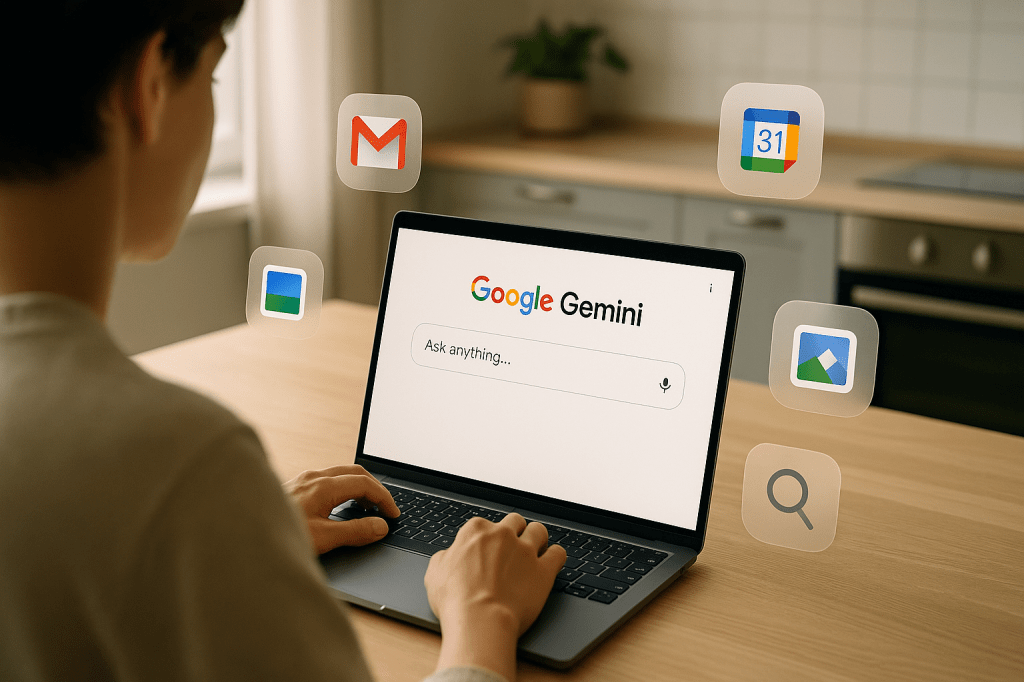
Google has pushed back against viral claims that Gmail messages and attachments are being used to train its Gemini AI model. The Verge reported that Google said those claims are misleading. Google named Gmail Smart Features, Gmail settings, and its Gemini model in its response. Independent articles and social posts, including a widely shared post by Malwarebytes, suggested Google changed policies so Gmail content could be used for AI training. Google says that is not the case, and that Smart Features have been part of Gmail for years.
The main players in this discussion are Google, Gmail users, The Verge and other outlets reporting on the story, and regulators in regions such as the European Economic Area and the United Kingdom. Google also pointed to separate Workspace settings for business accounts. The story matters because it touches on user consent, data for AI training, and whether privacy settings are stable when people opt out.
What the claims said
Several viral posts and articles reported that Google changed Gmail terms to allow the company to use message contents to train AI models. Those posts suggested that an opt-out required turning off Gmail Smart Features, and that users who thought they had opted out were still being re-enrolled into Smart Features.
How Google responded
Google said the reports were misleading. The company stated Gmail content is not used to train Gemini. Google also emphasized that Smart Features are a longstanding set of conveniences in Gmail, like spell check, order tracking and calendar integrations. The company confirmed it had updated personalization controls earlier in the year to make a clearer separation between Workspace account controls and other Google product settings.
What Gmail Smart Features are
Smart Features in Gmail are optional tools that make email easier to use. They include:
- Auto-correct and spelling suggestions within messages.
- Automatic order tracking and package details extracted from receipts.
- Automatic calendar event creation from reservation or travel emails.
- Smart reply suggestions and message categorization that help organize your inbox.
These features rely on analyzing message content locally or with Google services to offer convenience. That is different from using messages as training data for large AI models, according to Google.
Reports of re-opt-ins, and why they cause concern
Some users reported that they had opted out of Smart Features, only to see those settings turned back on later. That raised concerns about settings persistence, product transparency, and how easy it is for consumers to control personalization.
When settings appear to change without a clear user action, trust is affected. A user who opted out expects that opt-out to remain in effect until they choose otherwise. Reports of re-opt-ins can create confusion, even if the re-enrollment is accidental or linked to separate account settings like Workspace controls.
What changed earlier this year in Gmail settings
Google updated how personalization and Smart Feature controls are presented. One important change was the clearer separation between Workspace account settings, used by businesses and schools, and personal Google account settings. That separation can make it harder for some users to know where to adjust a specific preference, especially if they use Gmail both for work and personal messages on the same account.
Why this matters to ordinary users
Most people use Gmail for everyday communication, shopping receipts and calendar invites. When emails are used to create helpful features, that can save time. At the same time, people expect control over how their email is processed, and whether it contributes to AI training data.
The immediate concerns for ordinary users are:
- Whether Gmail content is being used to train external or behind-the-scenes AI models; Google says it is not used to train Gemini.
- Whether opting out of Smart Features actually prevents Gmail from analyzing messages for personalization; users should confirm settings.
- Whether business or school accounts under Workspace have separate policies and controls, which may be set by administrators.
Practical steps you can take right now
If you want to confirm how your Gmail content is used, these steps will help. The exact menu names can change, but the general path remains similar across accounts.
- Open Gmail and check settings for Smart Features and personalization. Look for a section that mentions Smart Features, personalization, or similar wording.
- If you use Workspace through your employer or school, check with your administrator. Workspace accounts may have controls that override individual settings.
- Visit your main Google Account privacy settings and review personalization controls and data sharing options, such as whether Google may use data to improve services.
- Note the timestamps on any changes you make. If a setting flips back unexpectedly, record when that happened and check account activity or recent security events.
- Use privacy tools available in your browser and device, including clearing stored data or using incognito windows for sensitive tasks when appropriate.
Implications for businesses and Workspace customers
Organizations using Google Workspace should review administrator settings and policies. Administrators can set defaults for features across an organization. That means employees could see Smart Features enabled or disabled based on admin choices, rather than individual opt-outs.
Businesses must balance convenience features against any data handling obligations under local privacy rules. In regions like the EEA and the UK, data protection frameworks impose rules about consent and purpose limitation, which can affect how organizations configure services that process email content.
Regulatory and trust context
This story sits at the intersection of AI training practices, user consent, and regional privacy frameworks. Regulators in the EEA, UK and elsewhere have been scrutinizing how companies collect and use data for AI. Clear settings and transparent documentation help users and regulators verify compliance.
When companies update settings or product behavior, consistent communication and stable defaults increase trust. Users are more likely to accept data processing if they can see and control it easily.
Key takeaways
- Google denies Gmail content is used to train the Gemini AI model.
- Gmail Smart Features provide conveniences such as spell check, order tracking and calendar integration; they have existed for years.
- Some users reported being re-opted into Smart Features, which raises questions about settings clarity and persistence.
- Google updated personalization controls earlier in the year to separate Workspace settings from personal account settings, which can add complexity for users.
- Practical action for users includes checking Smart Features, confirming opt-out status, and reviewing Workspace administrator policies if applicable.
FAQ
Did Google use my Gmail messages to train Gemini?
Google says it does not use Gmail messages or attachments to train Gemini. The company called reports claiming otherwise misleading.
What should I check if I am worried my settings changed?
Look at Gmail settings labeled Smart Features or personalization, and check your main Google Account privacy controls. If you have a Workspace account, ask your administrator whether organization policies affect these settings.
Can Workspace administrators override my personal choices?
Yes. Administrators can configure defaults and policies for Workspace accounts, which may override individual preferences on company controlled accounts.
Should I stop using Gmail because of this?
That is a personal decision. Many people find Smart Features helpful. If privacy concerns outweigh those benefits for you, take the practical steps above to opt out where possible, and consider separate accounts for sensitive communication.
How to keep informed
Watch for updates from Google if you rely on Gmail, and check reputable news sources when policy or settings changes are reported. When an announcement affects account controls, the company should clarify which accounts and settings are affected, and how users can manage their preferences.
Concluding thoughts
This episode highlights two things. First, small changes to settings, or unclear presentation of options, can create big user concern. Second, clear lines between feature behavior and AI training practices matter for trust. Google says Gmail content is not being used to train Gemini, and that Smart Features are longstanding conveniences. Still, users should take a few minutes to confirm their settings, especially if they handle sensitive information or use a Workspace account. A short review can help you keep control over personalization while continuing to use helpful Gmail features.




 AI Everything Today
Leave a comment