Overview
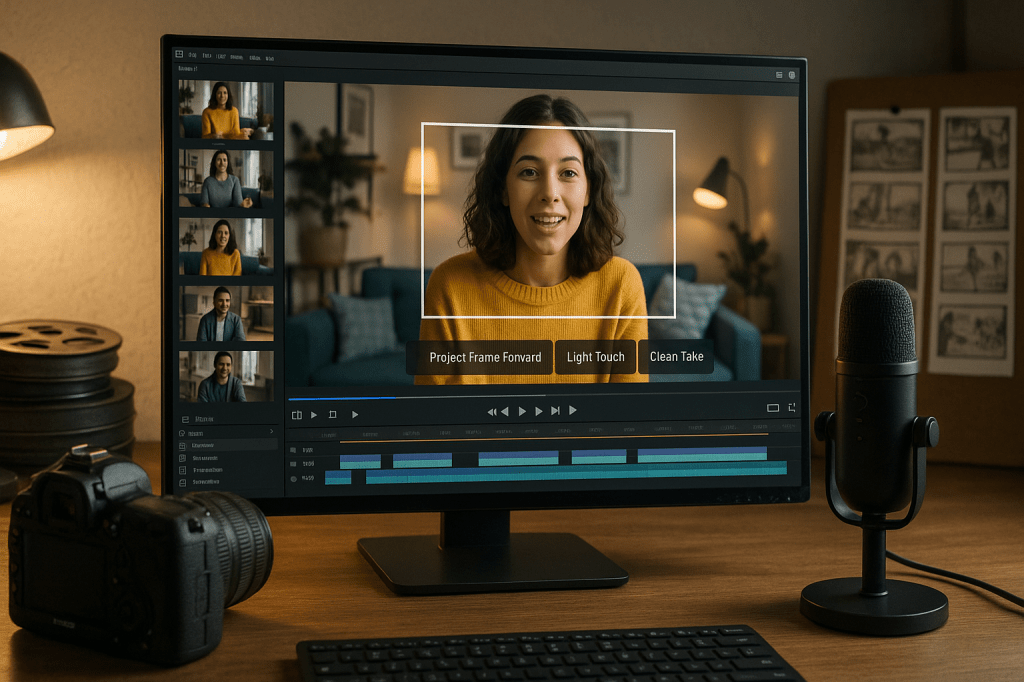
At Adobe MAX 2025, Adobe presented several experimental AI demos, called sneaks, that aim to make creative editing faster and more automated. Key projects shown include Project Frame Forward, Project Light Touch, and Project Clean Take. These experiments use generative AI to apply edits across whole videos, change lighting dynamically, and edit speech without re-recording. Adobe also demonstrated surface swapping, 3D-like photo edits, and depth-aware insertions.
Generative AI means software that can create or transform content, such as images, video frames, or audio, by learning patterns from large datasets. In these sneaks, the technology automates tasks that normally require detailed manual work, such as masking and rotoscoping in video production, or precise audio editing for voice performance.
What Adobe showed at MAX 2025
Adobe’s demonstrations focused on speeding up common creative tasks. The main highlights are:
- Project Frame Forward, which applies an edit made on a single frame to an entire video clip without manual masks.
- Project Light Touch, which generates and places dynamic lighting, changing direction, diffusion, and color across a scene.
- Project Clean Take, which edits speech delivery and isolates background audio so words can be changed or improved without rerecording.
- Other demos like Project Surface Swap, Project Turn Style, and Project New Depths, which handle material changes, 3D-like object rotation, and depth-aware photo edits.
How the main projects work
Project Frame Forward
Project Frame Forward lets an editor change one frame, then propagates that edit automatically across the video. For example, a creator can remove an object in a single frame, and the system removes it through the following frames while keeping motion and lighting consistent. The tool aims to remove the need for hand-drawn masks and frame-by-frame rotoscoping, tasks that can take hours for a short clip.
Key practical points:
- Works without manual masks, using AI to track objects and infer scene motion.
- Supports both removal and insertion of objects, like removing a microphone or adding a sign.
- Handles changes in viewpoint and lighting by generating plausible content for unseen pixels.
Project Light Touch
Project Light Touch gives creators generative control over scene lighting. The demo showed changing the time of day, bending light around objects, and adjusting softness and color. It creates dynamic light that moves with the scene, so a handheld camera or moving subject still looks natural.
Practical features:
- Change light direction, diffusion, and color across a clip.
- Turn a daytime shot into a nighttime scene or add a rim light that wraps around a subject.
- Works together with object-aware edits, so lighting respects object boundaries.
Project Clean Take
Project Clean Take focuses on audio and speech. It demonstrated the ability to edit a spoken performance by adjusting enunciation, pacing, and emphasis without re-recording. The tool also isolates background audio, allowing editors to remove or replace ambient noise while keeping the original voice consistent.
What this enables:
- Correct a flubbed word or tighten timing without a full rerecord.
- Isolate and remove background noise like traffic or room tone.
- Make a voice sound more energetic or clearer while preserving speaker characteristics.
Other sneaks shown
Adobe also demonstrated several supporting experiments that expand creative possibilities for photographers and designers.
- Project Surface Swap: swap materials or textures on objects in an image or video, like changing a jacket fabric or car paint.
- Project Turn Style: rotate or edit objects as if they were 3D, letting creators change the viewpoint or tweak shapes in photos.
- Project New Depths: treat a 2D photo as a depth-aware scene, enabling insertions or parallax moves that respond to foreground and background.
Why this matters to ordinary creators
These tools target tasks that consume a lot of time in post-production. Actions that once required precise masking, frame-by-frame painting, or retakes can be done much faster. For single creators and small studios, that can mean:
- Faster turnaround times for edits, so more content can be produced with the same resources.
- Lower barriers for complex compositing, lighting design, and audio cleanup.
- Ability to experiment more freely, since edits can be made and reversed quickly.
That said, the tools are experimental. They are demos of capability, not guaranteed features in consumer products today. Adobe has a history of turning sneaks into official features, so these projects offer a probable look at future Creative Cloud and Firefly capabilities.
Risks and ethical questions
Powerful editing tools raise legitimate concerns. The new capabilities make it easier to create convincing alterations to video and audio, which can be misused.
- Deepfakes and voice manipulation: editing speech or replacing objects could be used to create misleading media.
- Copyright and ownership: swapping materials or inserting brand elements may raise rights questions.
- Authenticity and trust: audiences may have a harder time knowing whether a piece of media reflects reality.
Experts and platforms will need policies and technical measures to reduce harm. That includes provenance systems, visible watermarks for AI altered media, and clear labeling when edits change meaning. Adobe and other vendors are discussing provenance and watermarking as part of responsible deployment, but the details and enforcement will matter.
Availability and roadmap
Sneaks are experimental prototypes. Adobe often showcases features at MAX that later reach Creative Cloud, but there is no timeline or guarantee for these particular projects. Historically, some sneaks have become core tools after refinement and testing.
What to expect:
- Early access or beta tests for selected customers could appear in the months after MAX.
- Features may first land in Adobe’s pro apps like Premiere Pro and Photoshop, and then be integrated into Firefly or other services.
- Commercial release will require addressing reliability, performance, and safety concerns before wide rollout.
How creators can prepare
Whether you are a hobbyist or work in a small studio, there are practical steps to get ready for these tools.
- Learn the concepts. Understand masking, rotoscoping, and depth; these remain useful even when tools automate parts of the work.
- Keep source files. Preserve raw takes and version history so you can verify or revert AI edits later.
- Adopt verification steps. Maintain scripts, timestamps, and metadata, and add visible notes when you publish AI-assisted edits.
- Build a safety checklist. Plan how to avoid misuse, confirm rights for replaced materials, and obtain consent when changing voice or appearance.
Key takeaways
- Adobe showed ambitious experimental tools at MAX 2025 that reduce manual work for video, photo, and audio editing.
- Project Frame Forward can apply a single-frame edit across an entire clip without manual masks.
- Project Light Touch generates dynamic, scene-aware lighting, while Project Clean Take edits speech and isolates background audio.
- These capabilities will speed up workflows for individual creators and small teams, but they create ethical and legal questions about authenticity and misuse.
- Sneaks are prototypes. Some features could become part of Creative Cloud or Firefly later, after testing and safety improvements.
FAQ
Will these tools be available to everyone soon
Sneaks are experimental. Adobe has previously turned some demos into real features, but there is no fixed timetable for public release. Expect beta programs or phased rollouts if the tools prove reliable and safe.
Do these tools replace human editors
They will not remove the need for skilled editors. AI can automate routine tasks, but human oversight is essential for creative choices, quality checks, and ethical decisions.
How can I tell if a video or audio file has been edited with AI
There is no universal method yet. Provenance metadata, visible watermarks, and platform-level labeling are the most practical approaches. Maintaining source files and publication notes helps with transparency.
Conclusion
Adobe MAX 2025 offered a glimpse into how generative AI could change creative work. Project Frame Forward, Project Light Touch, and Project Clean Take show real reductions in manual labor for common editing tasks. For creators, that means faster editing and more room to experiment. For society, it means a renewed focus on authenticity, rights, and verification. As these prototypes move toward commercial products, the balance between power and responsibility will determine how widely and safely they are adopted.
If you create video, images, or audio, now is a good time to learn the underlying editing concepts, preserve original materials, and prepare practices that maintain transparency when AI tools are used.


 AI Everything Today
Leave a comment