What happened
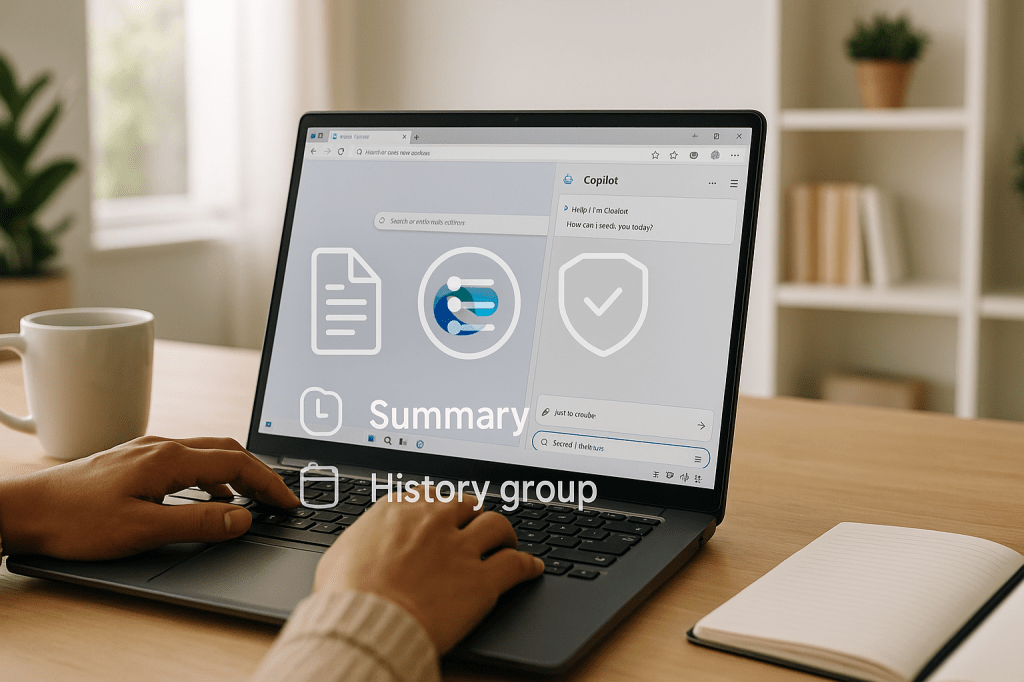
Microsoft has launched Copilot Mode in its Edge browser, introducing an AI-first browsing experience that opens a chat panel in every new tab. The company says this mode combines search, navigation, and AI responses into one pane, and adds features such as cross-tab summarization, AI-organized browsing history called Journeys, and a preview of agentic Copilot Actions that can try to take tasks on your behalf.
Microsoft is rolling some features out immediately, and some are in preview in the United States. The company warns Copilot can make mistakes, and that some features, like using browsing history, require explicit permission from the user.
Why this matters to ordinary users
Copilot Mode changes how a person interacts with the web inside Edge. Instead of switching between search results, pages, and notes, Copilot places a conversational assistant in every tab. For everyday tasks such as research, planning a trip, or managing emails, the assistant can summarize open pages, answer questions across tabs, and suggest next steps in your browsing history.
These capabilities can speed up work and help users who do not want to manually gather information from many open pages. At the same time, the system is new and sometimes unreliable, so the assistant can give wrong or incomplete results. Microsoft is asking users to review and confirm any actions the assistant proposes.
Core features explained
AI chat in every tab
When Copilot Mode is on, each new tab opens with a chat pane. You can ask questions, get summaries, or request follow up information without leaving the current page. The chat combines web search and AI-generated responses in one interface.
Cross-tab summarization and multi-page questions
Edge can summarize content across multiple open tabs. If you have many pages related to one subject, you can ask Copilot to pull the main points from all of them. This reduces manual switching and copying between tabs.
Journeys: AI-organized browsing history
Journeys groups your past browsing around topics. Instead of a linear list of visited pages, Journeys tries to organize research or planning into clusters and suggest next steps. Microsoft says this could change how people track and continue longer tasks, such as planning a purchase or researching a topic.
Copilot Actions, agentic features in preview
In preview, Copilot Actions aim to do tasks for you, such as unsubscribing from newsletters or attempting a reservation. Microsoft describes these as agentic because they can act across sites on your behalf. The company cautions they are experimental and can fail, so the assistant will ask permission and may require confirmations.
Real world reliability and limits
Early testing shows useful results and clear limits. Examples include the assistant attempting to delete an item but failing to complete the deletion, or trying to make a reservation and selecting the wrong date. These missteps illustrate the technology is functional but fragile in real tasks.
Microsoft explicitly warns users that Copilot can make errors. The company sets expectations that people should verify important outcomes, especially for actions that affect accounts, purchases, or personal data.
Privacy and consent
Copilot’s access to your browsing history is governed by consent. The assistant can use browsing content to personalize answers only after you grant permission. That is intended to balance personalization with user control over data.
Microsoft also highlights transparency in the interface when the assistant is accessing or summarizing content. Users will see prompts and options before agentic actions run. This design aims to reduce surprises, but it requires users to stay attentive when the assistant requests permissions.
How to try Copilot Mode
You can enable Copilot Mode from Edge’s settings or from the Copilot icon in the browser toolbar. Some features, such as Copilot Actions and Journeys, are currently listed as preview and may be available only in the United States or to users who opt in to previews.
When you enable the mode, review privacy prompts and permission dialogs carefully. If you do not want the assistant to read your open tabs or history, decline those specific permissions. Core chat and summarization features may still be available without broader history access.
How Copilot Mode compares to other AI browsers
Copilot Mode is part of a wave of AI-enhanced browsers and tools from different companies. Competing offerings include experimental products from OpenAI and other browser makers that embed AI into search and navigation. The differences to watch are how each tool handles live web content, privacy controls, and agentic actions.
Microsoft’s edge is the tight integration with Edge and Windows, plus features designed to act on the user’s behalf across multiple sites. Competitors may focus more on chat-first experiences or specific use cases such as research or coding assistants.
Practical examples
- Research project: Open several articles on a topic, then ask Copilot to summarize the main points across all tabs, saving time compared to reading each page separately.
- Trip planning: Use Journeys to group hotel, flight, and activity pages, and ask Copilot to suggest a next step or timeline for booking.
- Email cleanup: Copilot Actions can attempt to unsubscribe from newsletters, then ask you to confirm any changes it proposes.
- Shopping: Compare product pages in different tabs and ask for a concise comparison of specs, price, and pros and cons.
Potential impacts on daily life and work
For many users, Copilot Mode could reduce repetitive browsing tasks and centralize information gathering. It can be helpful for students, people who work with lots of web sources, and everyday shoppers.
At the same time, agentic features introduce new trust and safety questions. When an assistant can act across sites, mistakes can affect accounts, bookings, or purchases. Microsoft’s warnings and permission prompts are intended to reduce risks, but users must remain vigilant.
Key Takeaways
- Copilot Mode adds a chat assistant to every new tab in Microsoft Edge, blending search, navigation, and AI answers.
- Main features include cross-tab summarization, Journeys for organized history, and preview agentic Actions that can perform tasks.
- Agentic features are experimental and can make errors; Microsoft recommends reviewing results and granting permissions selectively.
- Privacy controls allow Copilot to use browsing history only with user consent.
- Some features are currently in preview in the United States and may require opting into early access.
FAQ
Will Copilot always read my browsing history
No. Copilot can use your browsing history only after you give explicit permission. You can decline and still use other assistant features.
Are Copilot Actions automatic
No. Actions are preview features and require permission before they act. Microsoft also issues warnings that these actions can fail or make mistakes, so you should confirm sensitive tasks manually.
Can this replace my normal search habits
It can speed up some tasks and reduce tab switching, but the assistant is not perfect. Users will likely combine Copilot with traditional search and manual checking for important decisions.
Concluding thoughts
Microsoft’s Copilot Mode in Edge brings more AI power directly into the browser, offering helpful tools like chat in each tab, cross-tab summaries, and Journeys for organizing research. The preview of Copilot Actions shows a path toward assistants that take tasks off your plate, but current reliability limits mean users should treat those actions with care.
If you try Copilot Mode, pay attention to permission prompts and verify important outcomes. The feature is useful for saving time on repetitive browsing tasks, while requiring a cautious approach when the assistant reaches across services to act for you.



 AI Everything Today
Leave a comment