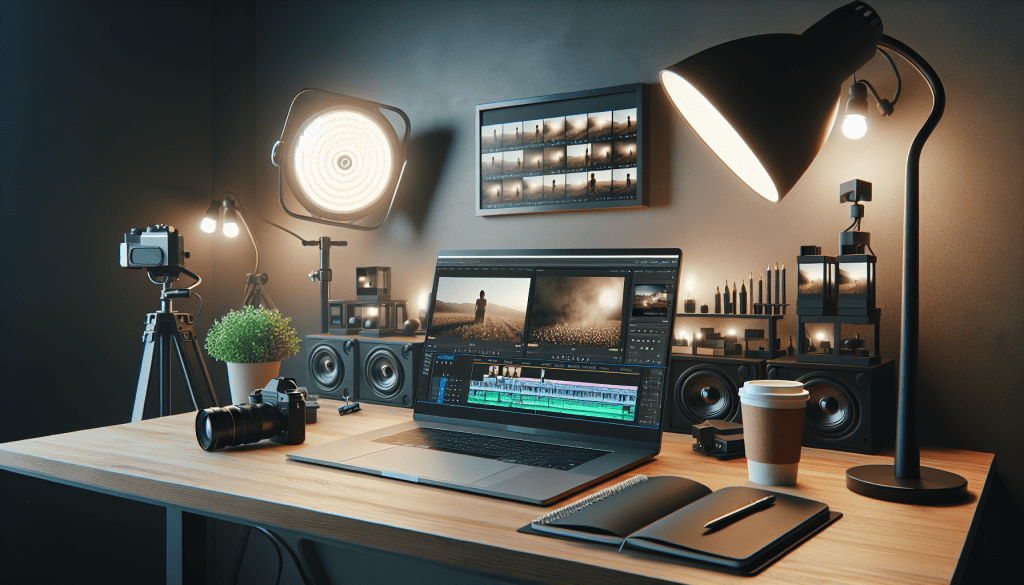
Overview: What Google announced
Google has updated its AI video generation model Veo to version 3.1 and integrated it into Flow, Google’s AI video editor. The change adds improved fidelity to input images, expanded lighting and shadow controls, and new audio-enabled video generation. Veo 3.1 is available now as a paid preview through the Gemini API and in the Gemini app, with the same pricing as the previous Veo release.
This update names specific features users can try. Flow can now produce videos with audio via three tools called Ingredients to Video, Frames to Video, and Scene Extension. Scene Extension can take the last second of a clip and extend it up to a minute, generating both visuals and sound. Google also says a future feature will allow the removal of objects from clips by reconstructing the background behind them.
Why this matters to everyday users
These changes affect anyone curious about AI video creation, including hobbyists, small creators, and developers. The improvements mean generated clips can look more like the input pictures and behave more naturally under different lighting. Adding audio generation brings short, self contained clips closer to finished pieces that no longer need a separate sound mix step.
Practical outcomes include faster mockups for short films, easier social clips with synchronized sound, and a broader set of tools for creative testing. At the same time, higher quality synthetic media raises questions for content detection systems, platforms that moderate uploads, and people looking to verify what they see.
Key features in Veo 3.1 and Flow
- Improved image fidelity. Generated frames better match the visual style and details of input images, which helps maintain continuity when combining real shots and AI generated content.
- Lighting and shadow controls. Users can change shadows and lighting to make generated clips appear more realistic in a scene, for example matching sun angle or indoor lighting conditions.
- Audio-enabled generation. Three Flow features now produce video with sound directly, instead of only silent visuals. Those features are Ingredients to Video, Frames to Video, and Scene Extension.
- Scene Extension. This tool can take the last second of an existing clip and extend it up to a minute, creating both matching visuals and audio to lengthen a shot.
- Planned background reconstruction for object removal. Google says a future capability will let Flow remove items from video by reconstructing what was behind them, creating seamless fills for the removed area.
- Availability. Veo 3.1 is offered as a paid preview via the Gemini API and is accessible in the Gemini app. Pricing is the same as the prior Veo model.
How the new tools work in practical terms
Here are simple explanations of the three audio-enabled generation options in Flow.
Ingredients to Video
Users supply a short text description plus images or other references. Flow then produces a short video that matches the inputs, including an audio track that aligns with the generated visuals. Think of it as a one step way to move from concept to a short clip with sound.
Frames to Video
This mode starts from a set of frames, such as a few key images or sketches. Veo 3.1 fills in motion between those frames and generates an audio layer to match. It aims to make animated transitions feel coherent without manual audio editing.
Scene Extension
Scene Extension takes the end of a real clip, for example the last second, and extends that scene for up to a minute using AI generated visuals and sound. It is useful for lengthening a cut when reshooting is not practical, or for producing alternate endings and variations.
Who benefits and who should pay attention
- Video creators and small studios, who want faster ways to prototype shots and create short clips without large sound design teams.
- Social media creators, who can generate short, polished clips with synchronized audio more quickly.
- App developers, who can use the Gemini API to add synthetic video features to their tools or services.
- Content moderation teams and investigators, since higher fidelity synthetic media can complicate detection of manipulated or fabricated footage.
Implications for trust and moderation
Higher quality video and built in audio change the balance of what is easy to produce. Short clips that both look and sound realistic will be easier to create at scale. That means platforms and news organizations need stronger ways to label, verify, and moderate synthetic content, especially if tools for removing objects and reconstructing backgrounds become widely available.
The change also affects media literacy for ordinary users. When short video clips can be extended and modified with matching audio, it becomes more challenging to judge authenticity at a glance. Clear metadata, content provenance systems, and responsible usage guidelines will matter more.
Limits and current status
- Veo 3.1 is in a paid preview stage. That means access is available through the Gemini API and the Gemini app, but the feature is not a free, open release.
- Pricing remains the same as Veo 3.0. Google did not announce price increases for this version.
- The object removal through background reconstruction is coming soon. It is not yet part of Veo 3.1, so testers should expect that capability to arrive later.
- As with many AI generated media tools, results will vary depending on input quality and the complexity of the requested edit.
Quick comparison to other tools
Many companies now offer AI assisted video editing and generation. The standout points for Veo 3.1 are the tighter fidelity to input images, the explicit lighting and shadow controls, and integrated audio generation inside Flow. Those features aim to reduce the amount of manual post production work creators need to do.
Practical tips for creators trying Veo 3.1
- Use high quality input images to get better fidelity in generated frames.
- Match lighting references when trying to blend AI generated footage with real shots.
- Start with short durations when using Scene Extension to test how the model handles continuity.
- Listen to generated audio on different devices to check for artifacts or mismatch with visuals.
- Label AI generated clips in your workflow, especially if you plan to share them publicly.
Key takeaways
- Google released Veo 3.1 and put it into Flow, improving fidelity and adding lighting controls.
- Flow can now produce videos with audio through Ingredients to Video, Frames to Video, and Scene Extension.
- Scene Extension can grow the last second of a clip up to one minute with matching visuals and sound.
- A future feature will allow removing objects by reconstructing backgrounds behind them.
- Veo 3.1 is available as a paid preview via the Gemini API and the Gemini app, with existing pricing.
FAQ
Is Veo 3.1 free to use?
No, Veo 3.1 is offered as a paid preview. Access is available through the Gemini API and in the Gemini app. Google said pricing remains the same as the prior Veo release.
Can Flow remove objects from a finished clip today?
Not yet. Google plans a feature that will remove objects by reconstructing the background, but that capability is coming soon and is not included in Veo 3.1 at launch.
Will generated videos include realistic sound effects and voices?
Veo 3.1 can produce audio aligned with generated visuals through its Flow features. The examples Google described include matching ambient sound and scene audio for short clips. As with visuals, audio quality will depend on input prompts and settings.
Should I worry about fake videos proliferating?
Higher quality synthetic media makes it easier to create convincing clips. This raises challenges for detection and verification. Users, platforms, and organizations will need stronger verification processes and clear labeling to reduce misuse.
Conclusion
Google’s Veo 3.1 brings clearer image fidelity, more precise lighting controls, and integrated audio generation to Flow, its AI video editor. The changes make it easier for creators to produce short clips that look coherent and sound complete, while the announced object removal feature points to even more powerful editing ahead. The paid preview status means the tools are available now to testers and developers via the Gemini API and the Gemini app. As the quality of synthetic media improves, attention to verification and responsible use will matter for creators, platforms, and everyday viewers.




 AI Everything Today
Leave a comment